Write the requirement in operational terms
Start with what the label must survive: expected handling, abrasion, water, cleaners, oils, chemicals, heat, cold, UV exposure and required readable life. Include the substrate and the temperature when the label is applied. These details matter because two synthetic labels can respond differently to the same ribbon.
Record the printer model, printhead resolution, print speed, darkness range, label facestock, coating and intended barcode. A ribbon cannot be specified reliably as an isolated consumable when the rest of the thermal-transfer system is unknown.
Confirm physical compatibility
Check ribbon width, length, core, winding direction, coated-side orientation and any approved supply requirements for the exact printer. A ribbon that is chemically appropriate can still fail to load or print correctly when its physical format does not match the printer.
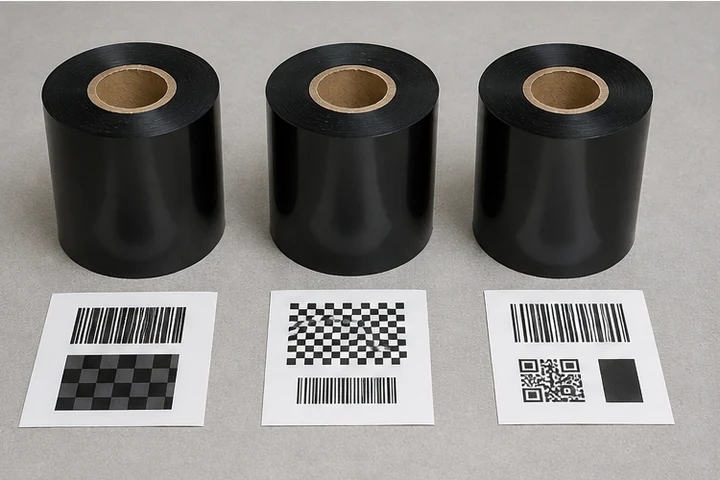
Run a controlled print test using production-quality label stock. Evaluate edge definition, small text, barcode contrast and ribbon release before increasing speed. Keep the accepted darkness and speed settings with the approved part numbers.
Test durability after printing
Use a test that matches the failure risk. Rub or abrasion tests can reveal image weakness; chemical tests should use the actual cleaner, oil or process chemical at the expected concentration and contact time; temperature and UV testing should reflect the service environment. Re-scan the barcode after each relevant exposure.
When the test fails, diagnose the complete construction before changing only the ribbon. The remedy could be a different facestock, coating, adhesive, print setting or label design. Retest the final combination before approving a production change.
Primary reference starting points
Use current manufacturer documents to confirm regional specifications, supported supplies and configuration details.