Operational design brief
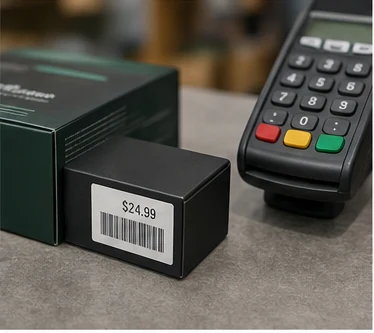
Retail labels prioritize fast variable printing, readable prices and reliable scanning. Direct thermal suits short-life price and receipt work; thermal transfer supports longer-life shelf and product labels.
For retail and pos, begin with the label event, the information carried on the label and the conditions it must survive. Then specify the printer, media and data workflow as one tested system.
Workflow checkpoints
- Receipts and short-life markdownsSet this requirement before selecting a printer: Direct thermal
- Shelf and product labelsUse this as a controlled design input: Thermal transfer when longer life is needed
- Barcode designUse this as a controlled design input: Use GS1-compliant size, color and quiet zones
- MobilityUse this as a controlled design input: Consider mobile printing for aisle work
Failure points to prevent
Unvalidated assumptions
Build this into the acceptance plan: Test labels under store lighting. A system that works on a desk can still fail at the actual print point, on the real surface or after normal handling.
Workflow mismatch
Build this into the acceptance plan: Confirm clean removal where required. A system that works on a desk can still fail at the actual print point, on the real surface or after normal handling.
Late-stage scan failure
Build this into the acceptance plan: Scan at every POS device type. A system that works on a desk can still fail at the actual print point, on the real surface or after normal handling.
Acceptance evidence
- Test labels under store lighting
- Confirm clean removal where required
- Scan at every POS device type
- Control template and price-data access
Selection framework
| Decision | Starting point |
|---|---|
| Receipts and short-life markdowns | Direct thermal |
| Shelf and product labels | Thermal transfer when longer life is needed |
| Barcode design | Use GS1-compliant size, color and quiet zones |
| Mobility | Consider mobile printing for aisle work |
| Adhesive | Match removability to shelf or product surface |
Validation checklist
- Test labels under store lighting
- Confirm clean removal where required
- Scan at every POS device type
- Control template and price-data access
Technical reference starting points
Use these source documents with the exact printer, label and ribbon documentation used in the proposed workflow.
Final recommendation
Request samples and test the exact printer, settings, ribbon, facestock and adhesive on the production surface. Verify barcode quality after the complete environmental cycle, not only immediately after printing.