How this workflow works
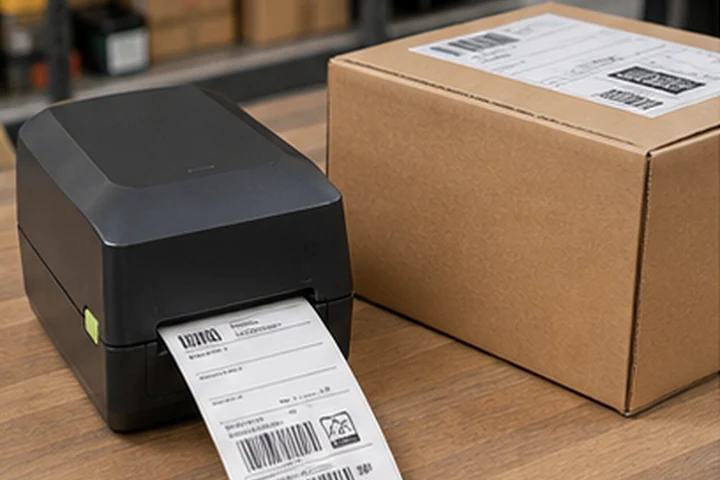
Parcel labeling is a handoff workflow, not just a printer purchase. The label must be created from the correct order record, printed at the right size, applied to a clean carton surface and scanned successfully by the carrier after packing and transport handling.
For a normal 4 x 6 in carrier label, direct thermal is usually the practical starting point because the image only needs to survive the shipping journey. The operational priorities are template control, peak-order throughput, carrier integrations, reprint handling and a documented backup path when a packing station stops.
Workflow checkpoints
- Create the shipment recordLock the carrier service, recipient data and parcel identifier before the label enters the print queue.
- Print at the packing pointMatch label width, printer calibration and media sensing to the carrier format used at that station.
- Apply and verifyApply the label flat over a clean carton area, preserve barcode quiet zones and scan the finished parcel before dispatch.
- Handle exceptionsDocument reprints, voided labels, label-roll changes and backup-printer routing so duplicate shipment IDs are not created.
Common failure points
Unreadable carrier barcode
Low contrast, wrinkles, tape over the barcode or a mismatched label template can interrupt sorting.
Peak-period queues
A desktop printer may suit one packing bench but become a bottleneck when many stations release labels at once.
Duplicate or stale labels
A sound print can still fail operationally if it is attached to the wrong carton or an old shipment record.
What to validate before rollout
- Print the live formats used by every carrier and service level.
- Scan labels after application to representative cartons, including recycled or textured surfaces.
- Time a peak packing hour and test the backup printer, media change and reprint procedure.
Primary reference starting points
Use the current source documents below alongside the exact printer, label and ribbon documentation for the intended deployment.
Selection framework
| Decision | Starting point |
|---|---|
| Print method | Direct thermal for normal parcel life |
| Width | 4-inch class |
| Resolution | 203 dpi; 300 dpi for smaller mixed formats |
| Connection | USB for one station, Ethernet for shared use |
| Media | Carrier-compatible direct thermal labels |
Validation checklist
- Print real labels from every carrier platform
- Scan barcodes after application to production cartons
- Measure peak labels per hour
- Document reprint and media-change procedures
Final recommendation
Request samples and test the exact printer, settings, ribbon, facestock and adhesive on the production surface. Verify barcode quality after the complete environmental cycle, not only immediately after printing.