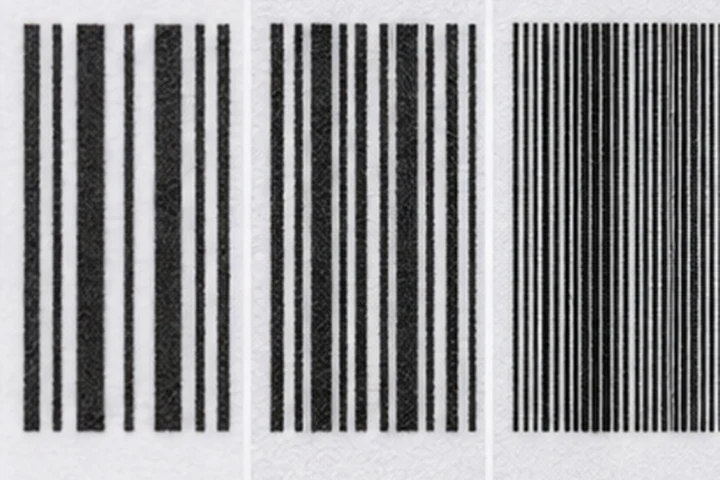
Quick answer
203 dpi is sufficient for most shipping, inventory and warehouse labels. 300 dpi is the best general upgrade for smaller barcodes, compact product labels and fine text. 600 dpi is a specialist choice for very small symbols, dense graphics and applications that have been validated at that resolution.
Resolution comparison
| Resolution | Dot size | Best suited to | Main trade-off |
|---|---|---|---|
| 203 dpi | About 0.125 mm per dot | Shipping, pallet, carton and standard barcode labels | Less detail on very small elements |
| 300 dpi | About 0.085 mm per dot | Product labels, small text and compact 2D codes | Higher printer and printhead cost |
| 600 dpi | About 0.042 mm per dot | Electronics, tiny labels and intricate symbols | Slower output and narrower operating margin |
The dot dimensions are calculated from one inch divided by the stated dots per inch and are approximate.
Why resolution matters
A thermal printer cannot produce a line narrower than one physical printhead dot. Label software therefore rounds barcode modules, text strokes and image edges to whole dots. At low resolution, rounding has a larger effect on very small designs.
Resolution does not rescue a poorly designed barcode. Symbol size, quiet zones, contrast, orientation, media, ribbon, speed and darkness all affect scanning. GS1 guidance requires appropriate symbol dimensions and clear quiet zones; verification of the printed result is more reliable than judging it on screen.
Choose 203 dpi when
- Labels are commonly 2 to 4 inches wide.
- Barcodes are printed at conventional shipping or warehouse sizes.
- Text is not extremely small.
- Fast throughput and low consumable cost matter more than fine graphics.
For 4 x 6 inch parcel labels and ordinary Code 128 inventory labels, 203 dpi is usually the practical starting point.
Choose 300 dpi when
- The available label area is limited.
- Human-readable text must remain clear at smaller sizes.
- 2D codes contain more data or must fit a compact layout.
- Product, component or laboratory labels combine several small elements.
Moving from 203 to 300 dpi does not guarantee a fixed percentage improvement in scan rate, but it gives the designer more dots with which to represent each element.
Choose 600 dpi when
Use 600 dpi only after the application demonstrates a need. Typical cases include tiny electronics labels, miniature compliance marks or high-density graphics. Very small barcodes may still violate the dimensional requirements of the applicable barcode standard, even if the printer can draw them.
Compatibility warning
Printheads of different resolutions are not universally interchangeable. Printer firmware, mechanics, drive electronics and replacement parts are model-specific. A label format created in dots may also print at the wrong physical size when sent to a printer with a different resolution. Build templates in physical units where possible and test them on the target device.
Frequently asked questions
Does higher DPI make every barcode scan better?
No. Higher resolution helps represent small elements, but incorrect size, inadequate quiet zones, low contrast, wrinkles and excessive heat can still cause failure.
Is 300 dpi worth it for shipping labels?
Usually not for standard 4 x 6 inch carrier labels unless the same printer also handles smaller product or compliance labels.
Can a 203 dpi file print on a 300 dpi printer?
It may, but commands defined in dots can change physical size. Rebuild or scale the template and verify the printed barcode.