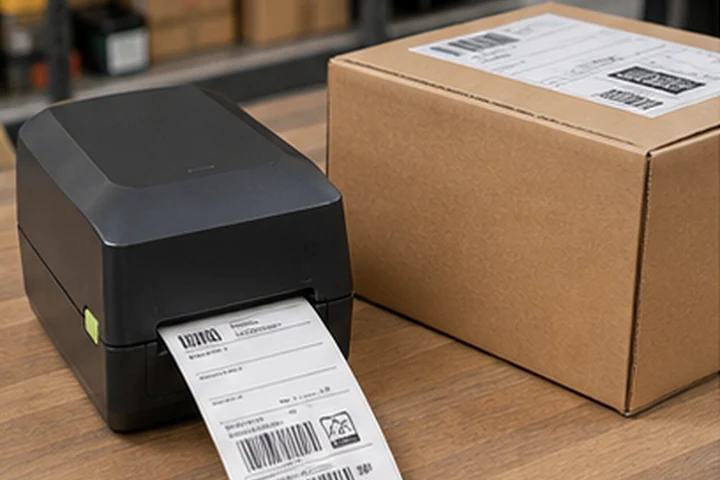
Quick answer
For most parcel workflows, choose a reliable 4-inch direct thermal printer at 203 dpi with the connection supported by your shipping computer or device. Upgrade to 300 dpi if the same printer must produce smaller product labels or dense text. Choose an industrial model when peak throughput, large rolls and downtime matter more than desk space.
Buying checklist
| Question | Typical shipping requirement |
|---|---|
| Label width | Up to 4 inches for common 4 x 6 carrier labels |
| Print method | Direct thermal for short-life parcel labels |
| Resolution | 203 dpi for standard layouts; 300 dpi for smaller mixed work |
| Connectivity | USB for one workstation; Ethernet/Wi-Fi for shared use |
| Volume | Size for peak hourly demand, not only daily average |
| Software | Confirm operating system, carrier app and printer-language support |
Start with the label and workflow
Collect samples from every carrier and marketplace you use. Measure the actual width and length and note whether labels arrive as PDF files, images or printer-language commands. A printer can be mechanically compatible yet awkward if the shipping platform does not offer the correct driver or page size.
Direct thermal is normally appropriate
Shipping labels usually need to remain readable only through delivery. Direct thermal removes the ribbon and speeds media changes. Store blank rolls away from heat and sunlight, and do not place printed labels where hot surfaces or heavy abrasion can damage them.
Size for peak demand
Record the busiest 15-minute and one-hour period. Include reprints, returns and labels generated by multiple packing stations. A compact desktop model is often enough for a small store, while a busy warehouse benefits from larger rolls, easier loading, remote management and spare-unit planning.
Connectivity and deployment
USB is simple for one computer. Ethernet makes a printer easier to share and gives it a stable network identity. Wi-Fi helps when cabling is impractical but requires reliable coverage and security configuration. Bluetooth may suit mobile workflows but is not a substitute for validating the shipping application.
Test before purchasing a fleet
Print real carrier labels, scan every barcode and confirm that text is not clipped. Test the printer after sleep, after a roll change and during a busy batch. Confirm replacement printheads, platen rollers and compatible labels are available locally.
Frequently asked questions
Do I need 300 dpi for 4 x 6 shipping labels?
Usually no. Standard carrier layouts are commonly suitable for 203 dpi. Choose 300 dpi when the printer also handles smaller, denser labels.
Should I buy Wi-Fi?
Only when the workflow benefits from it. Ethernet is often more predictable for a fixed packing station, while USB is simplest for one computer.
Can I use free carrier printers with other labels?
Hardware, media and contractual restrictions vary. Confirm ownership, supported sizes and permitted use with the provider.