How this workflow works
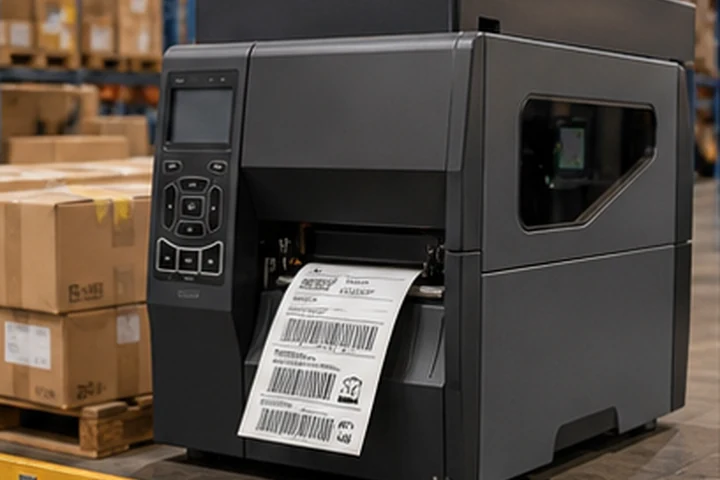
Warehouse labeling links receiving, put-away, replenishment, picking, cycle counting and dispatch. A useful design begins by mapping where labels are created and scanned, rather than choosing one printer class for the entire facility.
Temporary carton and process labels may suit direct thermal. Rack, bin, tote and long-life asset labels normally need a construction qualified for surface, cleaning, abrasion and expected service life. The scanner, barcode design and print settings must be tested together at the operating distance.
Workflow checkpoints
- Map label eventsList each point where an operator receives, creates, replaces or scans an identifier.
- Separate temporary from durable labelsSet image-life and adhesive requirements independently for cartons, totes, racks and fixed assets.
- Choose the print pointUse desktop, industrial or mobile equipment according to location, peak demand, media size and support access.
- Control templatesConnect approved WMS fields to a versioned label template and restrict ad-hoc format changes.
Common failure points
One label specification for every use
Carton labels and rack labels face different service conditions and should not automatically share a material.
Scan failures at height
A barcode that scans at a desk may fail when mounted on a rack, curved tote or reflective surface.
Unmanaged printer settings
Speed, darkness and calibration changes can alter barcode quality between shifts or stations.
What to validate before rollout
- Test scan performance at the real distance, angle and lighting used in the warehouse.
- Run abrasion, cleaner and temperature checks on every durable label surface.
- Record approved printer settings, media, ribbon and template versions for each print point.
Primary reference starting points
Use the current source documents below alongside the exact printer, label and ribbon documentation for the intended deployment.
Selection framework
| Decision | Starting point |
|---|---|
| Fixed high-volume station | Industrial printer |
| Point-of-work labels | Mobile printer |
| Temporary process labels | Direct thermal |
| Rack and asset labels | Thermal transfer synthetic |
| Barcode quality | Preserve size, contrast and quiet zones |
Validation checklist
- Map every label-creation point
- Test scanning at operating distance and angle
- Plan spare printers and approved supplies
- Lock validated speed and darkness settings
Final recommendation
Request samples and test the exact printer, settings, ribbon, facestock and adhesive on the production surface. Verify barcode quality after the complete environmental cycle, not only immediately after printing.