Quick answer
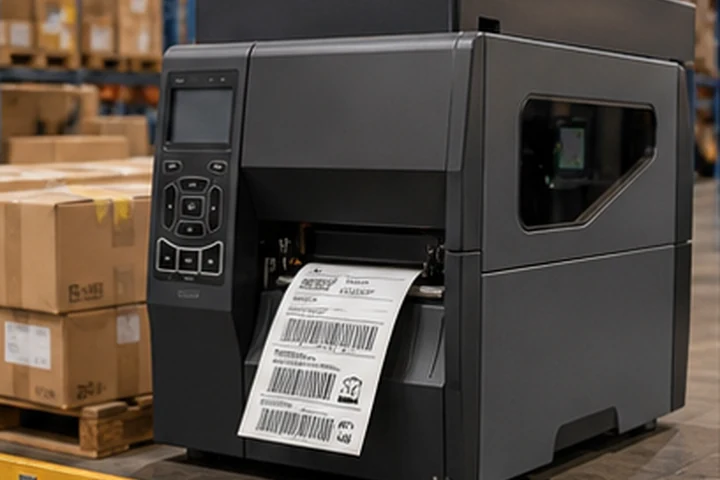
Use industrial thermal printers at fixed high-volume receiving and shipping stations, desktop printers at lighter work cells, and mobile printers when labels must be produced at the shelf, pallet or point of activity. Most warehouses need a combination rather than one printer type everywhere.
Match printer type to workflow
| Workflow | Suitable starting point | Why |
|---|---|---|
| Receiving dock | Industrial 4-inch thermal transfer or direct thermal | High peaks, large rolls and repeated use |
| Packing station | Desktop or industrial 4-inch direct thermal | Parcel labels and local operation |
| Shelf and bin labeling | Desktop thermal transfer | Durable labels printed in controlled batches |
| Cycle counting | Mobile direct thermal | Label created at the location |
| Pallet identification | Industrial 4- or 6-inch | Large formats and sustained output |
Decide image life first
Parcel and temporary process labels can use direct thermal. Rack, bin and asset labels normally require thermal transfer with a matched durable material because they face cleaning, abrasion and longer service.
Design for downtime
The cheapest printer can become expensive when a shipping lane stops. Standardize supplies where practical, keep cleaning materials available and decide whether a spare printer can be swapped in without reconfiguring software. Networked printers should have documented addresses, names and driver settings.
Barcode considerations
Warehouse scanners encounter distance, angles, dirt and damaged packaging. Preserve symbol size, contrast and quiet zones. GS1 notes that larger X-dimensions can support scanning in challenging logistics environments and that logistic barcodes require clear quiet zones.
Verify printed samples after applying them to real cartons, stretch wrap, pallets and freezer surfaces. Curvature, wrinkles and transparent wrap can change scanner performance.
Operator workflow
Choose media loading and controls that temporary staff can use consistently. Lock critical darkness, speed and calibration settings when possible. Clear status alerts and remote monitoring reduce unnecessary support calls.
Frequently asked questions
Is a mobile printer a replacement for an industrial printer?
No. Mobile printers reduce walking and support point-of-work labeling, while industrial printers handle sustained fixed-station production.
Should warehouse labels use 300 dpi?
203 dpi is suitable for many logistics labels. Use 300 dpi for smaller formats or denser information after barcode dimension checks.
What material should rack labels use?
It depends on the rack coating, cleaning, abrasion and removability needs. Polyester with a suitable adhesive is a common starting point, but site testing is essential.