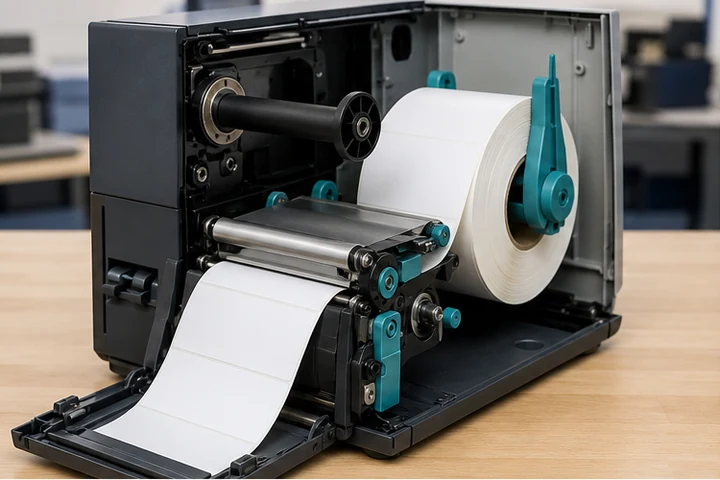
Quick answer
Usually, yes: many thermal transfer printers also support direct thermal mode. Remove the ribbon, install direct thermal media, change the printer's print method to direct thermal and recalibrate. Confirm the exact model specification because not every printer supports both methods.
Required conditions
| Requirement | Why it matters |
|---|---|
| Dual-mode printer | The hardware and firmware must support direct thermal |
| Direct thermal media | Transfer-only labels do not react to printhead heat |
| Ribbon removed | A ribbon can trigger an alert or block direct exposure |
| Correct print mode | Heat settings and ribbon sensing depend on the mode |
| Media calibration | The printer must detect gaps, marks or notches correctly |
Confirm the media type
Perform the scratch test on an unused label: rub the print surface firmly and quickly with a fingernail or pen cap. A dark mark indicates heat-sensitive direct thermal media. No mark suggests thermal transfer stock, although supplier identification remains the best confirmation.
Change the printer correctly
- Turn the printer to a safe loading state following its manual.
- Remove the transfer ribbon.
- Load the direct thermal roll with guides correctly positioned.
- Set the print method to Direct Thermal in the front panel, driver or printer command.
- Calibrate the media sensor.
- Print a configuration label and a real barcode test.
Printer-language commands can override front-panel settings. If the mode changes back when a job is sent, inspect the driver and label template.
When not to make the switch
Do not use direct thermal simply to avoid buying ribbon when the application requires long image life, sunlight resistance or chemical durability. The printer may accept the stock while the finished label still fails in service.
Frequently asked questions
Can a direct-thermal-only printer use ribbon?
No. It lacks the ribbon supply and take-up hardware required for thermal transfer.
Why does the printer show a ribbon error?
The physical ribbon state and configured print method may disagree. Remove or install ribbon as required and set the correct mode.
Will darkness settings stay the same?
Not necessarily. Direct thermal and transfer media respond differently. Start with the supplier or printer recommendation and optimize using barcode tests.