Quick answer
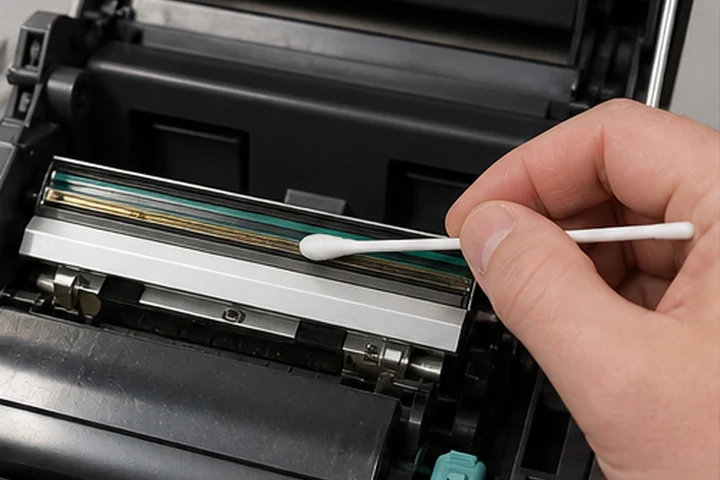
Power down the printer as directed, open it and allow the printhead to cool. Remove labels and ribbon. Wipe the print line gently with a manufacturer-approved cleaning pen or lint-free swab moistened with the specified high-purity isopropyl alcohol. Let it dry completely before reloading. Follow the exact model manual because cleaning intervals and permitted materials vary.
What you need
- Printer-approved cleaning pen, swab or preventive maintenance kit
- Lint-free cloth for approved surrounding surfaces
- High-purity isopropyl alcohol only when the manual permits it
- Good lighting
- The model's user guide
Never use sharp tools, household cleaners, compressed shop air with oil or an abrasive cloth on the print line.
Cleaning steps
- Cancel active jobs and place the printer in its documented safe state.
- Disconnect power if the manual requires it.
- Open the printhead and wait until it is cool to the touch.
- Remove ribbon and label media without dragging adhesive across the head.
- Wipe in one direction along the print line with light pressure.
- Inspect and clean the platen and media path using their separately approved methods.
- Allow all solvent to evaporate.
- Reload supplies, calibrate if needed and print a test pattern.
Cleaning frequency
Use the printer manufacturer's interval as the baseline. Some Zebra guidance calls for cleaning after a defined number of rolls, while industrial guidance may specify after each roll of ribbon or media. Dusty, adhesive-heavy or high-volume environments may require more frequent cleaning.
When cleaning is not enough
A white line in the same position after careful cleaning can indicate a failed printhead element. Uneven density may also come from a worn platen, pressure setting, ribbon wrinkle or supply mismatch.
Frequently asked questions
Can I use 70% rubbing alcohol?
Use only the concentration and product approved by the manufacturer. Water and additives in general-purpose rubbing alcohol can leave residue.
Can I clean while the printhead is hot?
No. Allow it to cool. A hot head creates burn risk and can cause cleaning fluid to evaporate too quickly.
Should I clean the platen at the same time?
It is efficient to inspect it, but use the platen-specific procedure. Some cutter and linerless components have different restrictions.