Quick answer
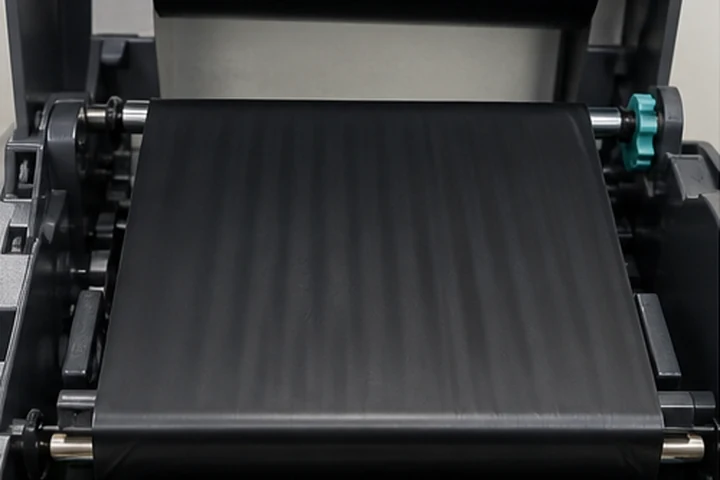
Ribbon wrinkles usually come from uneven tension or pressure across the print width. Reload the ribbon and media, center the guides, confirm the correct ribbon width and winding, clean the print path, then test lower speed and darkness. Make one change at a time and use model-specific pressure or alignment procedures.
Diagnose the direction
| Pattern | Common area to inspect |
|---|---|
| Diagonal white voids | Ribbon alignment and printhead pressure |
| Wrinkle begins at one edge | Media guide, ribbon width or spindle seating |
| Wrinkle appears on wide labels only | Pressure balance and head alignment |
| Wrinkle after roll change | Loading path or damaged roll edge |
| Random creases | Debris, sticky residue or uneven media |
Safe troubleshooting order
- Stop printing and let the printhead cool.
- Reload ribbon exactly along the illustrated path.
- Confirm both ribbon spindles and cores are fully seated.
- Center the media guides without squeezing the liner.
- Verify ribbon covers the full media width.
- Clean the printhead, platen and guides using approved supplies.
- Reduce print speed, then optimize darkness.
- Use manufacturer procedures for pressure or alignment only if the issue remains.
Avoid over-adjustment
Printhead pressure mechanisms are not universal. Uneven or excessive pressure can accelerate wear and make wrinkles worse. Record original settings and follow the service manual. Do not place improvised tape, foam or sharp tools in the ribbon path.
Check supplies
Damaged ribbon edges, poor slitting, incorrect core width and incompatible backcoat can cause feeding instability. Test a known-good roll from a qualified batch before assuming the printer is defective.
Frequently asked questions
Can high darkness cause wrinkles?
It can contribute by increasing heat and ribbon deformation. Use only enough energy for reliable transfer.
Why does the wrinkle move when the roll is changed?
That points toward ribbon roll quality, seating or loading rather than a fixed printhead defect.
Should ribbon be tighter than the label roll?
Do not manually add arbitrary tension. The printer's supply and take-up systems are designed for approved ribbon dimensions.